
The applications may look familiar on both sides.
But choosing a productivity platform is about more than email, documents and meetings.
It’s about how your people work together, how information moves through the organization, how AI fits into everyday work, and how you manage the environment around it.
A practical comparison for organizations evaluating Google Workspace and Microsoft 365.

At first glance, both ecosystems cover many of the same categories.
Email. Documents. Spreadsheets. Presentations. Meetings. Chat. File storage. AI.
But an organization’s productivity platform also shapes how those capabilities connect.
So instead of asking:
Does Microsoft have an equivalent Google app?
Ask:
Google Workspace provides Google-native applications including Docs, Sheets and Slides.
Microsoft 365 provides Word, Excel, PowerPoint and Outlook as part of its productivity environment.
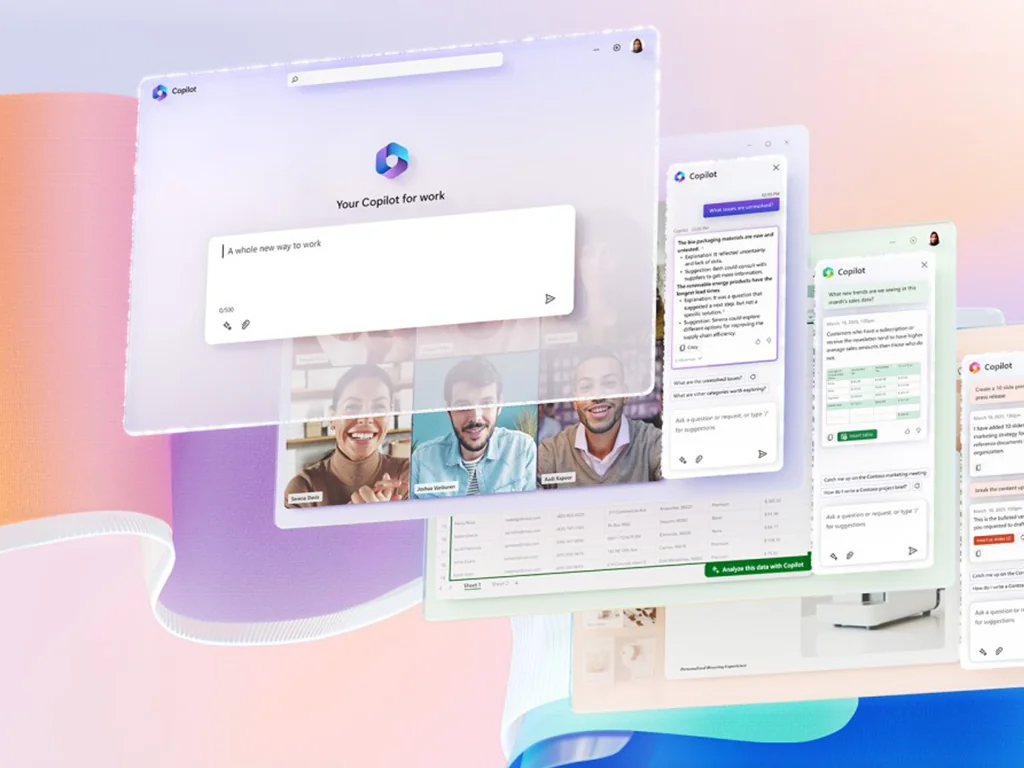
Microsoft 365 Copilot can also work inside Microsoft applications. Microsoft’s campaign materials include examples such as responding to priority messages in Outlook, creating content in Microsoft 365 applications and analyzing information in Excel.
Not every organization has the same answer.
That’s why this comparison should start with your workflows, not a generic feature checklist.

People meet.
They chat.
They create files.
They share information.
They return to that information later.
Google Workspace brings collaboration together through tools including Meet, Chat and Drive, while the Microsoft environment includes Teams, OneDrive and SharePoint.
The important question isn’t simply which meeting application you prefer.
AI increasingly changes the productivity-platform decision.
Gemini across Google tools
Copilot across Microsoft 365 applications and work context
Microsoft describes Microsoft 365 Copilot as working inside applications such as Word, Excel, PowerPoint and Outlook and drawing on relevant context across meetings, emails, chats and files.
That changes the question from:
to:
Where employees spend their time
What information they need to work with
Where documents and conversations live
How AI fits into existing workflows
What you eventually want people and AI to accomplish together
As AI becomes more connected to organizational information, questions around permissions, security, privacy and governance become part of the productivity-platform decision.
Microsoft’s Microsoft 365 Copilot materials state that organizational data is not used to train foundation large language models, Copilot honors existing Microsoft 365 permissions and policies, and data is encrypted at rest and in transit.
Microsoft also describes governance and security capabilities for Copilot and agents covering areas such as overshared content, excessive permissions, risky behavior and sensitive files and interactions.
So don’t ask only:
Also ask:
Moving productivity platforms affects the technology people use and the work that surrounds it.
The campaign’s migration decision framework is deliberately built around understanding the target environment and determining whether it is materially better before committing to migration.
So before deciding, you should understand:
What changes for employees?
Which important workflows need to be maintained or redesigned?
What content and data need to be considered?
How do meetings, conversations and shared work change?
What new opportunities might become possible?
What does the target operating environment look like?
How will the organization support people through a different way of working?
Changing platforms creates disruption.
So the business case needs to justify that disruption.
Don’t begin with migration. Begin with the reason you’re considering change.
Understand what should be protected, not just what should change.
Identify the friction that is driving the platform conversation.
Evaluate that against actual roles, workflows and organizational priorities.
Only then does migration become the next conversation.
For organizations that decide Microsoft 365 is the right direction, the next opportunity is to consider how the platform can support AI-enabled work.
That’s where Copilot in 30 reconnects to the journey.
Understand the ecosystems.
Understand what the move would involve.
Move into the appropriate Microsoft environment.
Evaluate Microsoft 365 Copilot against meaningful work.
Use evidence from Copilot in 30 to inform what comes next.
Our Google Workspace to Microsoft 365 Migration Guide is designed as the next practical step for organizations considering a change.
Use it to take the conversation beyond product comparison and start thinking about what a transition could mean for your organization.

Compare the ecosystems.
Understand your current environment.
Identify what would change.
Build the business case.
Then decide whether the move makes sense.